

Add biometric attendance to your InsangerHR setup.
Choose biometric hardware when it fits your workplace and keep attendance connected with InsangerHR.
Choose how your team records attendance.
InsangerHR supports both mobile app check-ins and dedicated biometric hardware. Use either method — or combine both.
Mobile App Attendance
Employees record attendance using the InsangerHR mobile app on their iOS or Android smartphones with verified GPS geofencing & facial match.
Biometric Hardware Attendance
Connect supported biometric devices when your workplace prefers dedicated device-based attendance with automatic cloud synchronization.
Biometric devices for your workplace.
Choose from supported devices based on your workplace requirements.
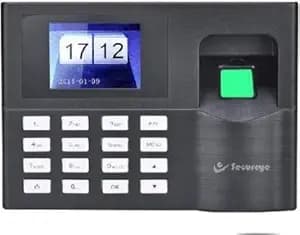
Model B8CB
Fingerprint & RFID Card Attendance Device
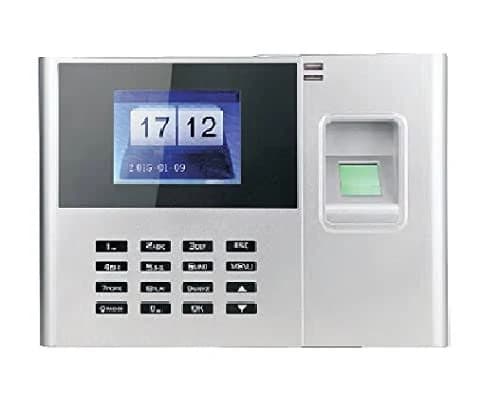
Model B251CB-WiFi
AI Face Recognition, Fingerprint & Wi-Fi Device
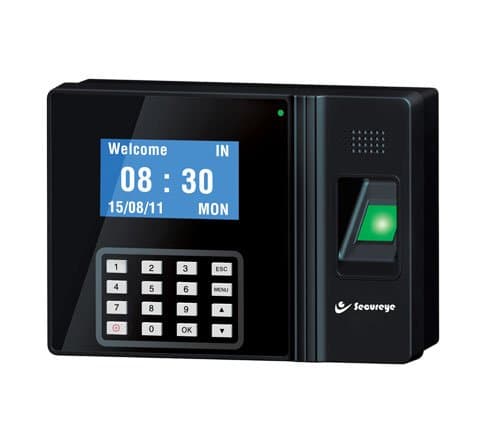
Model B100CB
AI Facial Touchscreen & Access Control Lock Device
How biometric devices connect with InsangerHR
Device check-ins sync automatically into central attendance records and monthly payroll calculation.
1. Biometric Punch
Employee scans face or fingerprint at device.
2. Cloud Push Sync
Device pushes log instantly via LAN/Wi-Fi to cloud.
3. Attendance Log
Daily logs update employer web dashboard.
4. Payroll Sync
Working days feed into monthly payslips.
Need help choosing or setting up a biometric device?
Talk to our team to find the right hardware setup for your workplace and branches. We help configure devices with your InsangerHR setup.
Hardware Compatibility Guidance
We help you select the model that fits your employee count and branch layout.
Push Data Integration Support
Our technical team guides device IP/Wi-Fi cloud sync setup.
Warranty & Support Assistance
Get assistance with device deployment and ongoing support.